FAQ
APP
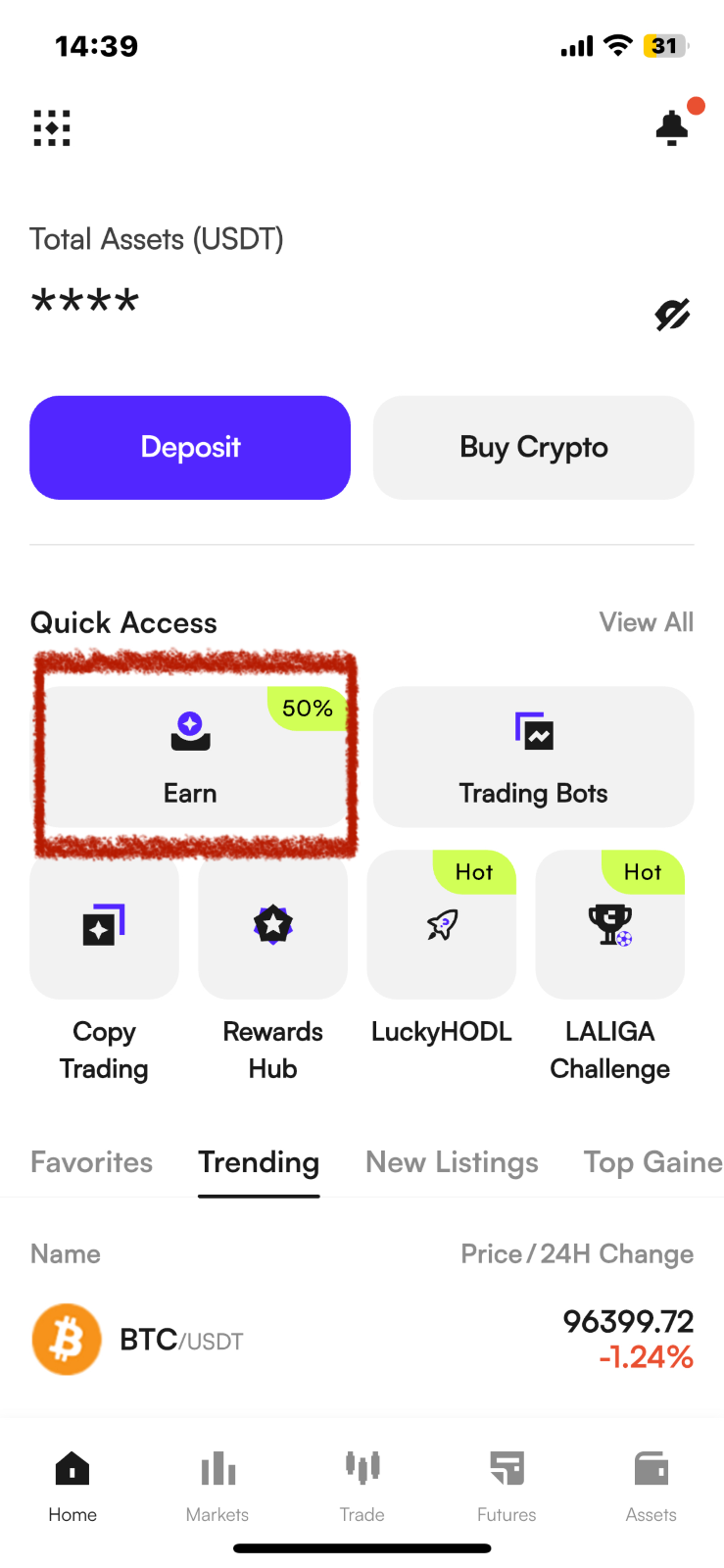
(1) Open the CoinW mobile app, log in to your personal account, click "CoinW Earn" on the homepage to enter the CoinW Earn page.
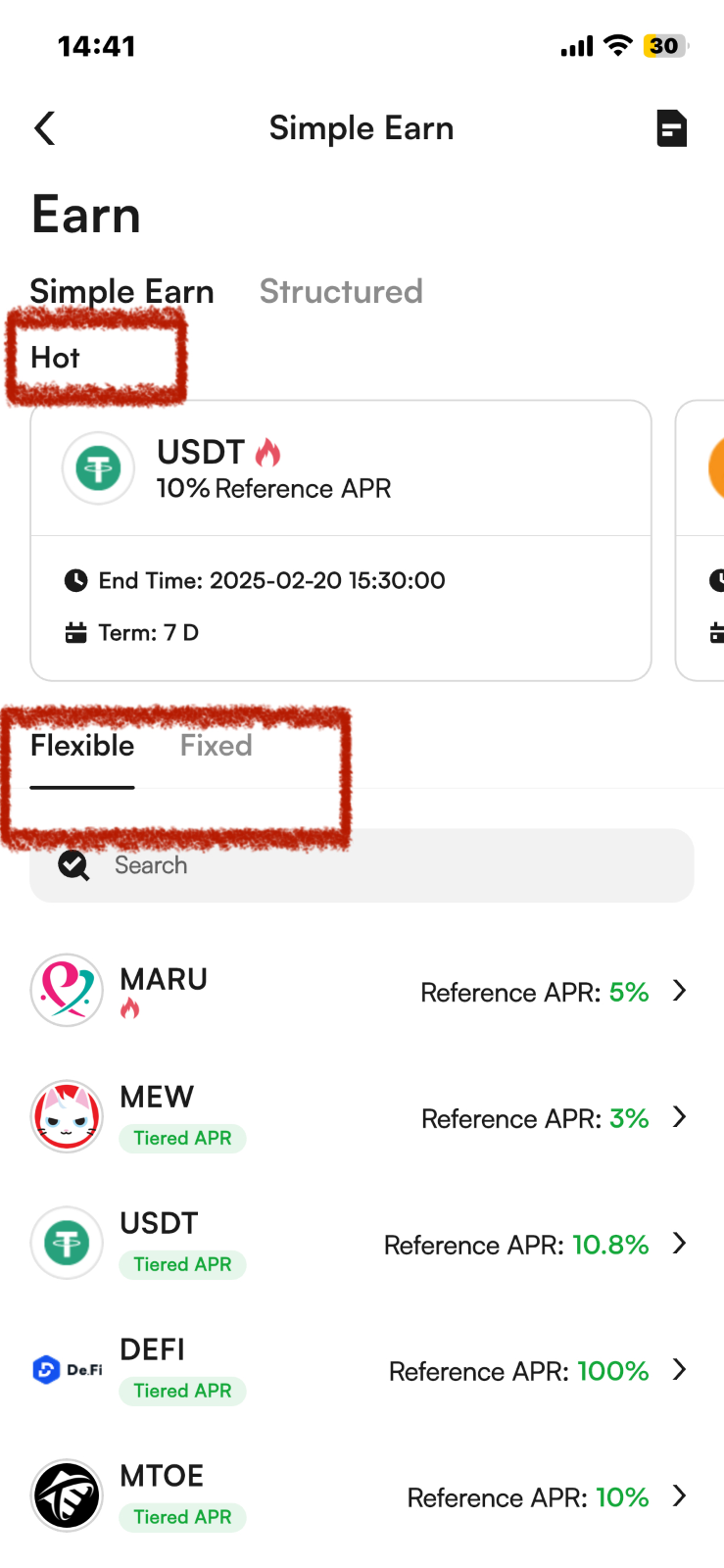
(2) The "Hot" Area in the middle of the page is the event products that are currently ongoing; "Flexible" and "Fixed" are regular products. You can choose the product type according to your needs and preferences.
(3) Select the product type.
If you choose "Fixed", select the APR and term, and fill in the subscription quantity.
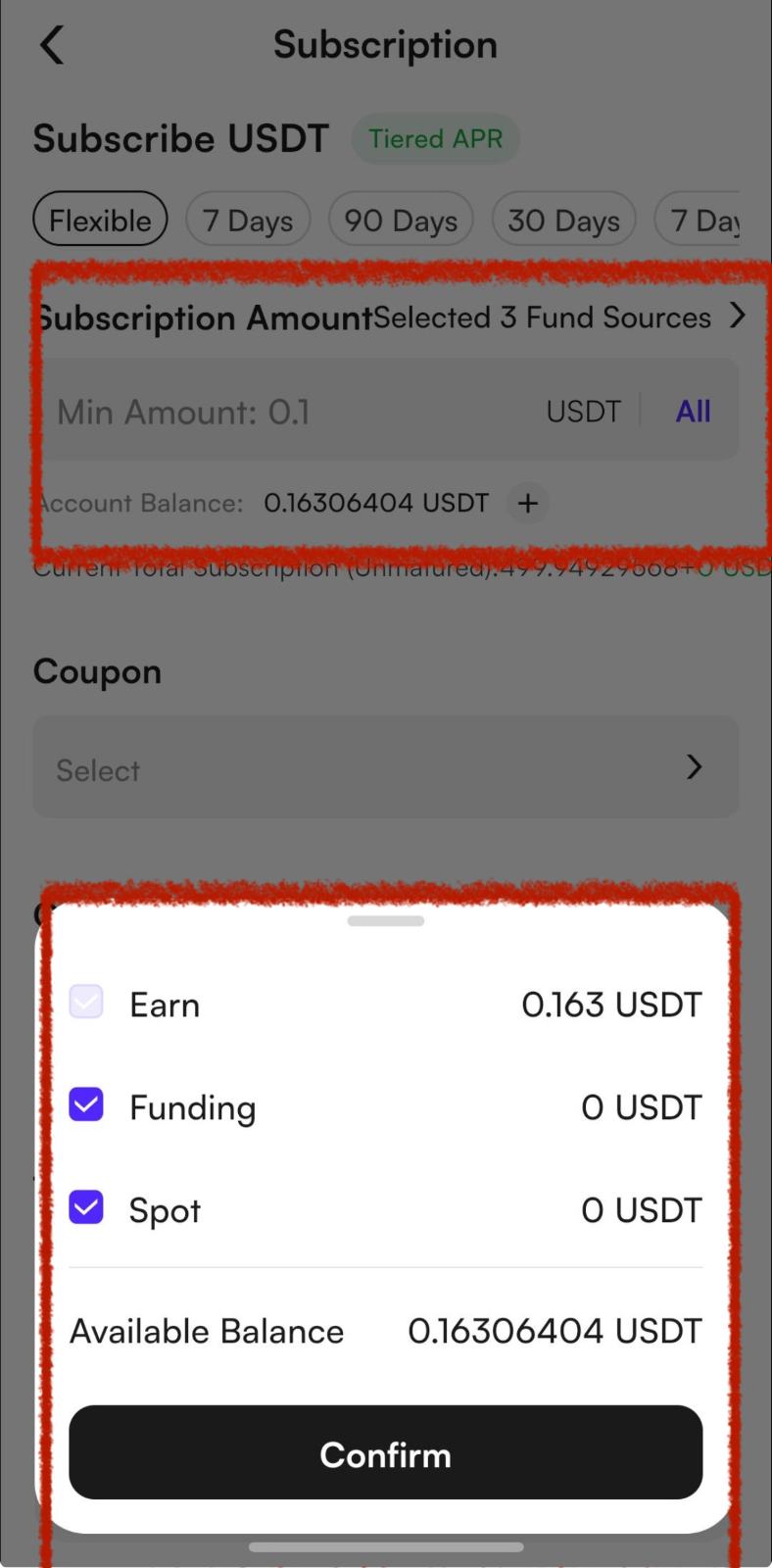
If you want to choose to subscribe to products with Funds from multiple accounts, please click Fund Sources and check the account type as needed.
If you have an earn interest coupon, you can check to use your coupons.
Finally, check "I have read and agreed to the Earn User Agreement" and click [Confirm].
For a tutorial on earn interest coupons, please click: https://coinw.zendesk.com/hc/en-us/articles/41883583163289
(4) The same applies to Flexible products.
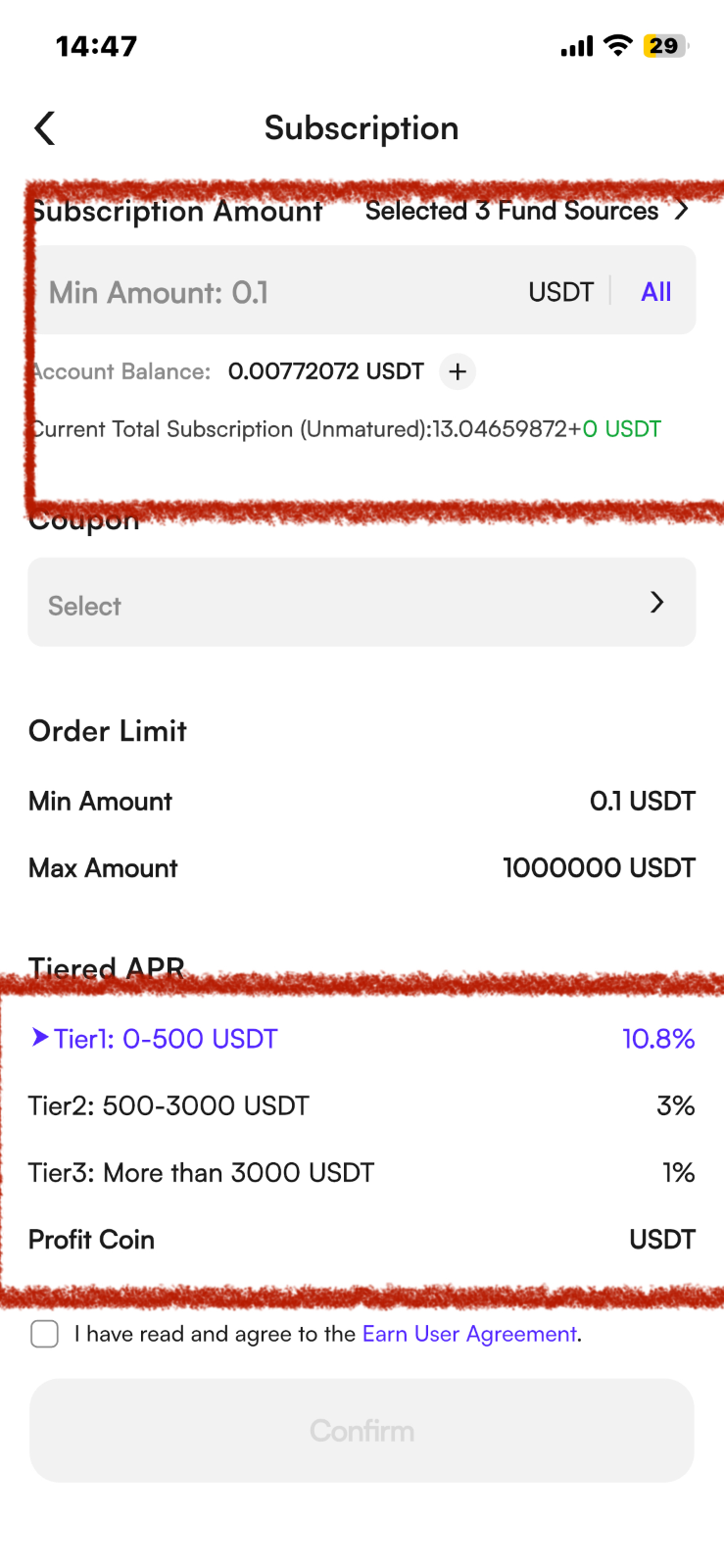
Select the currency you want to subscribe to and fill in the quantity.
If the product you choose is a tiered interest rate product, please confirm the tiered interest rate details.
Finally, check "I have read and agreed to the Earn User Agreement" and click [Confirm].
(5) After successfully participating, click the icon in the upper right corner to enter the "Bill" page, where you can view the participation details of the products you subscribed to.
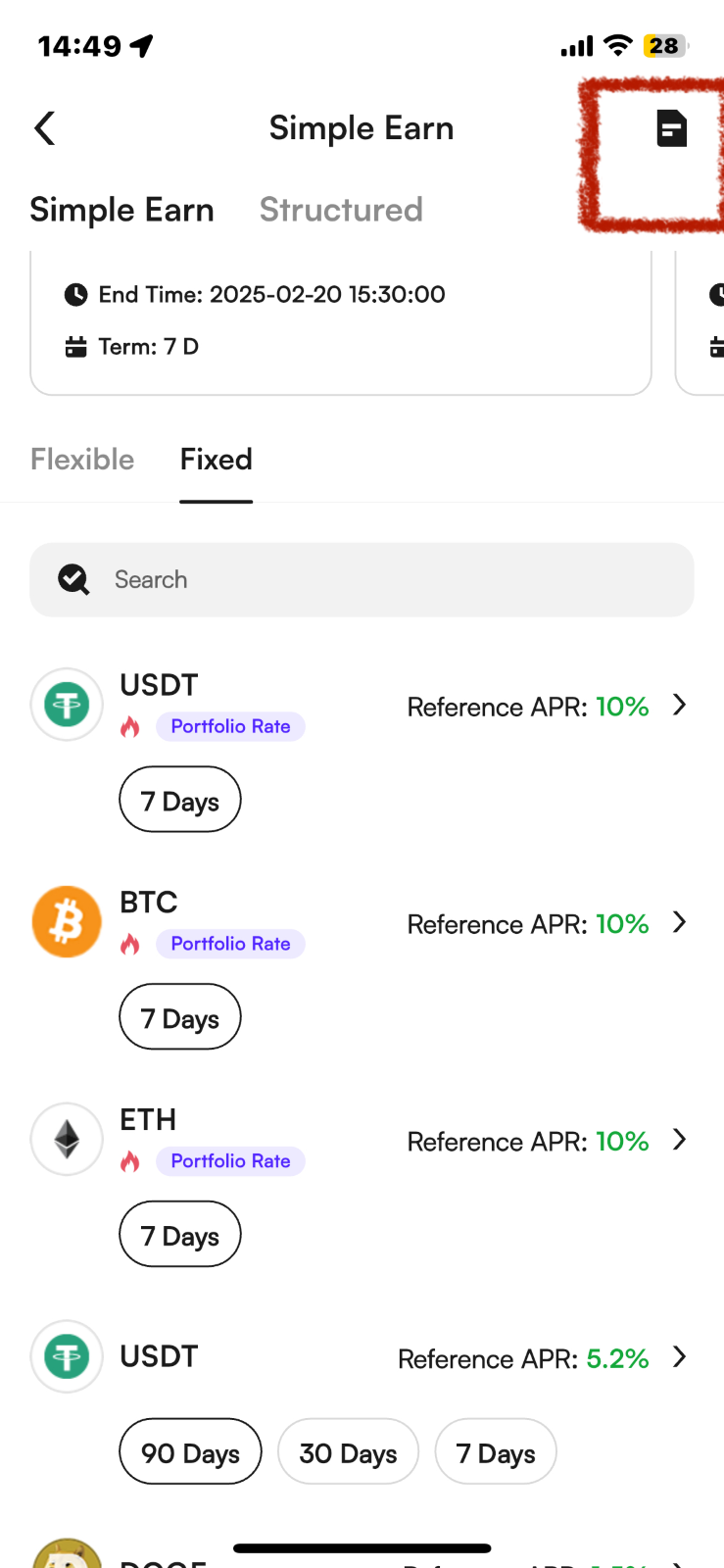
You can check them at Assets> Earn>"History" page as well
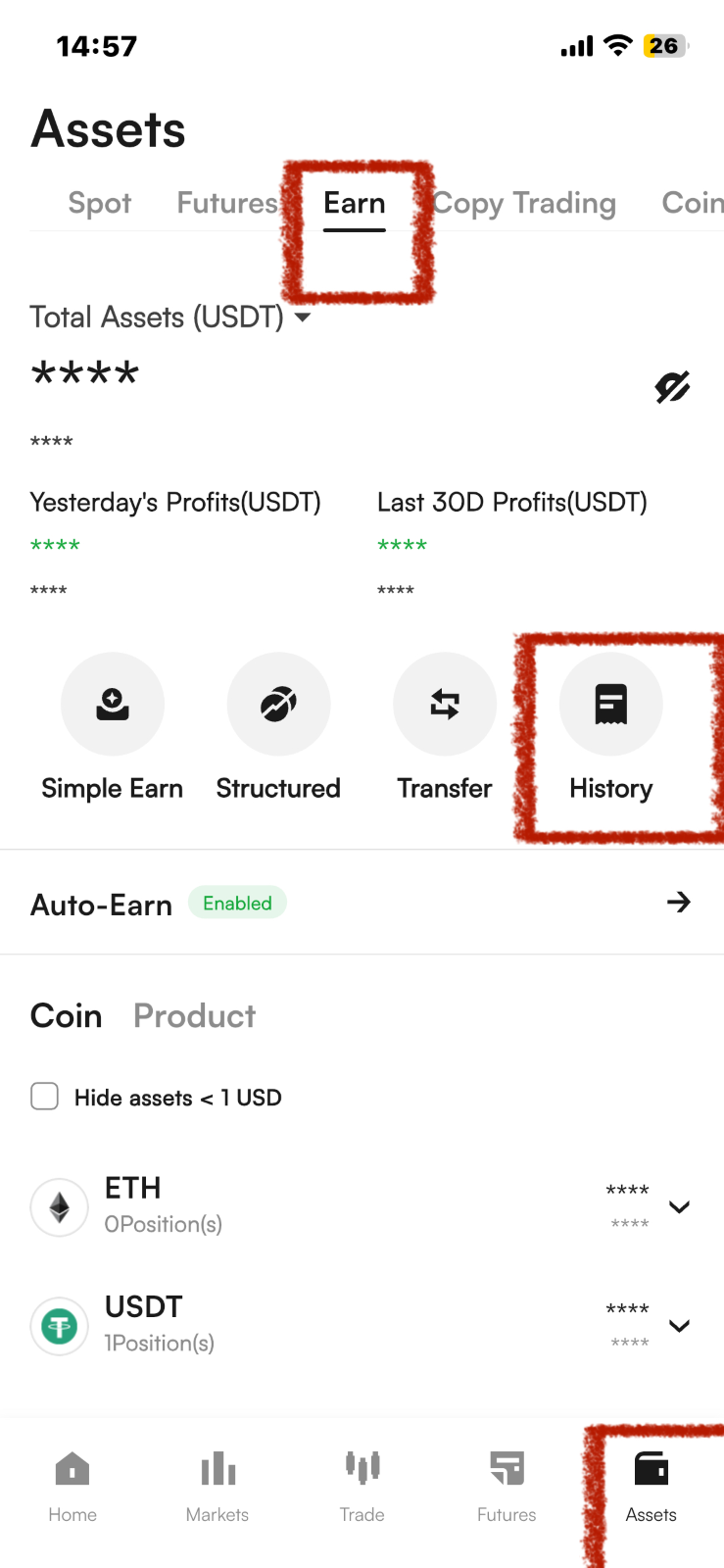
(6) When redeeming a product, you can go to Assets > Earn and select the product you want to redeem based on the Coin or product.
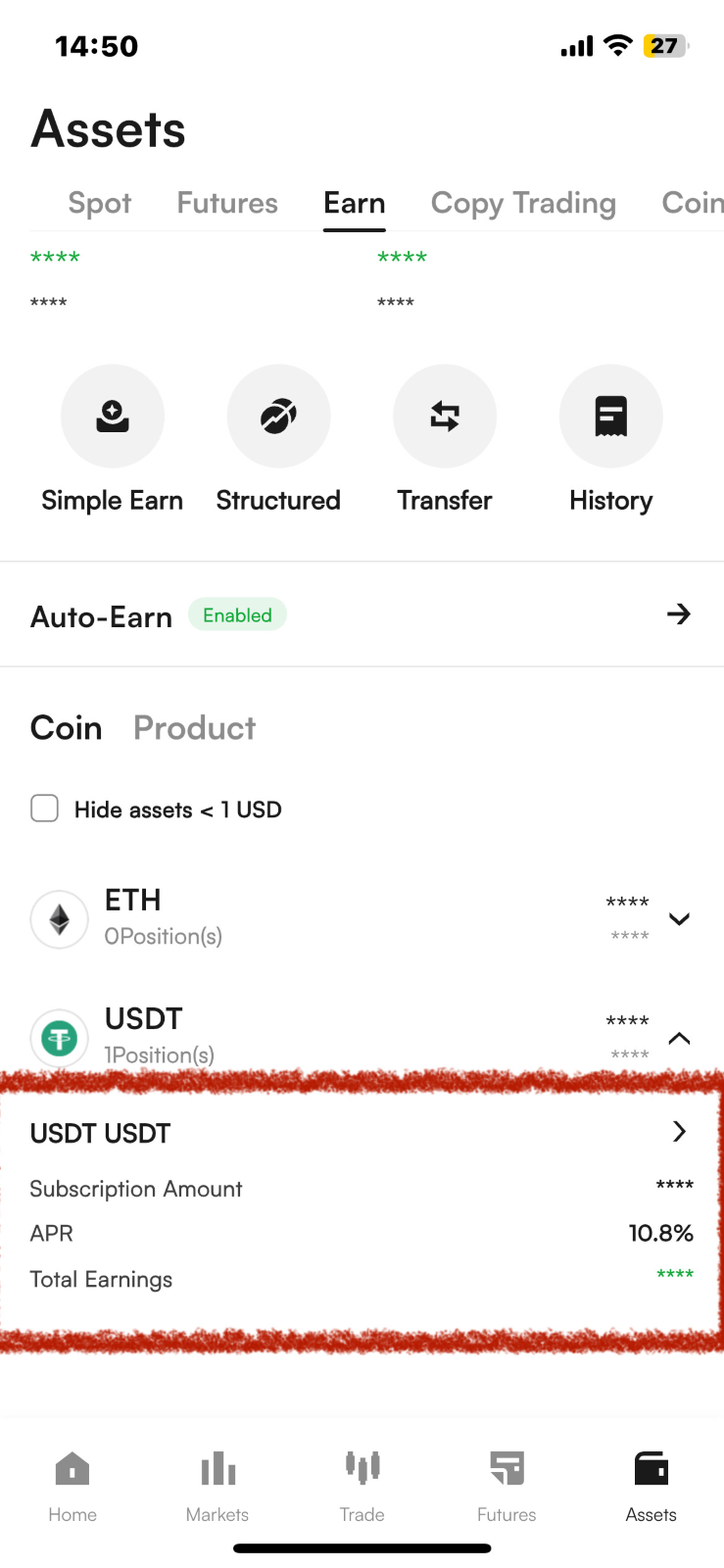
(7) Click on the product you want to redeem to enter the redemption confirmation page.
Click “details”
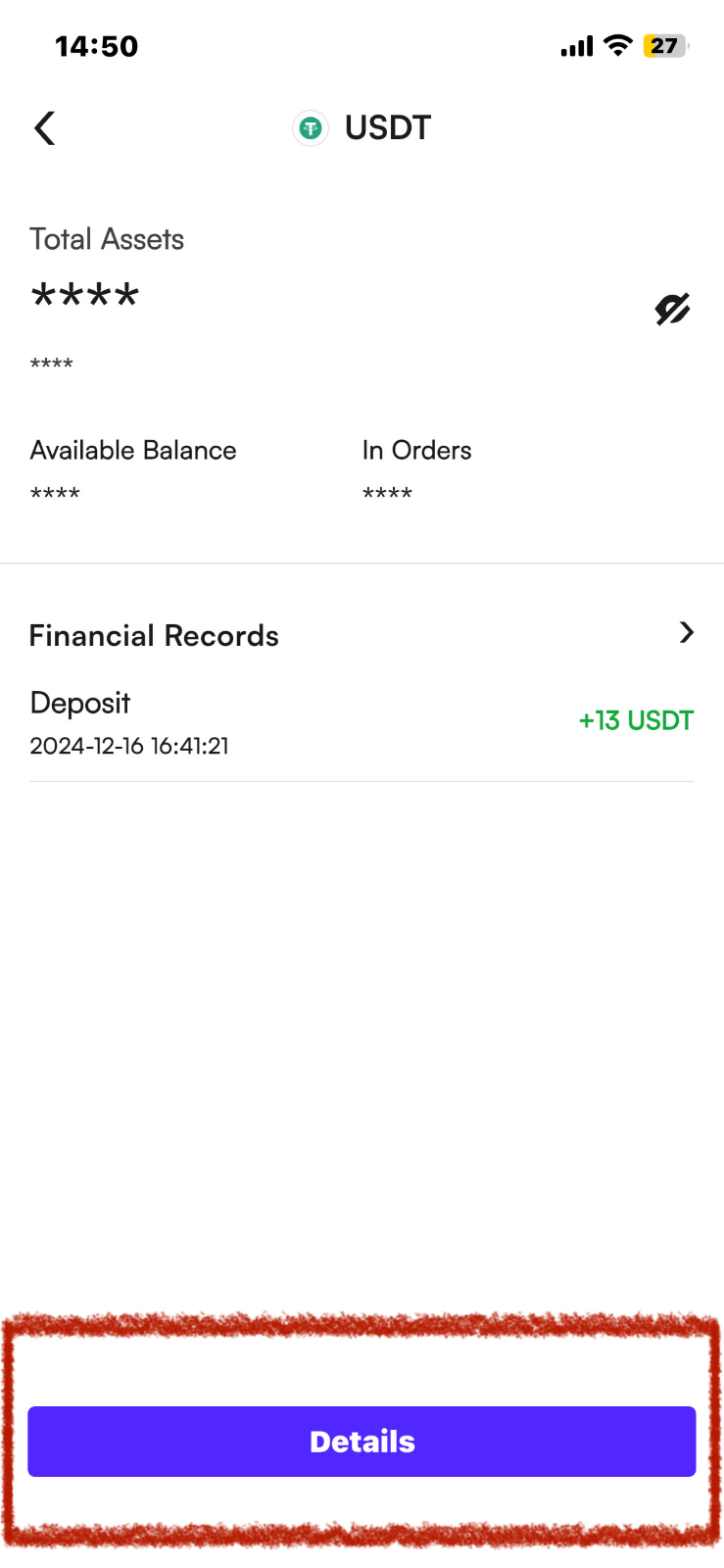
Click Redeem, enter the quantity you want to redeem, and click Confirm to successfully redeem.
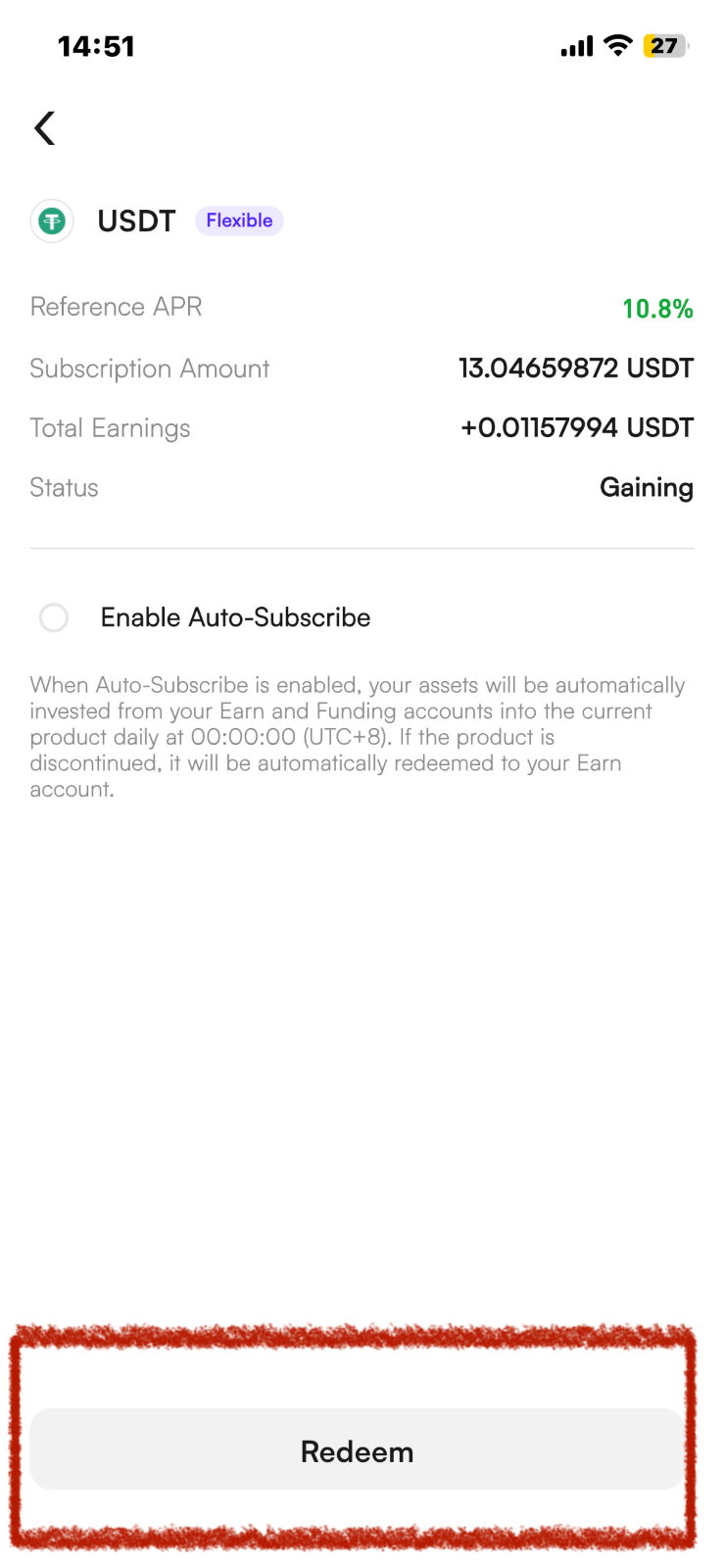
About the Auto-Earn function
To turn on/off Auto-Earn in batches : [ Assets ] > [ Earn ] > [ Auto-Earn] > Click [Enable/Disable ] > Check "Auto-Subscribe Agreement". Confirm it then you can turn on/off Auto-Earn function.
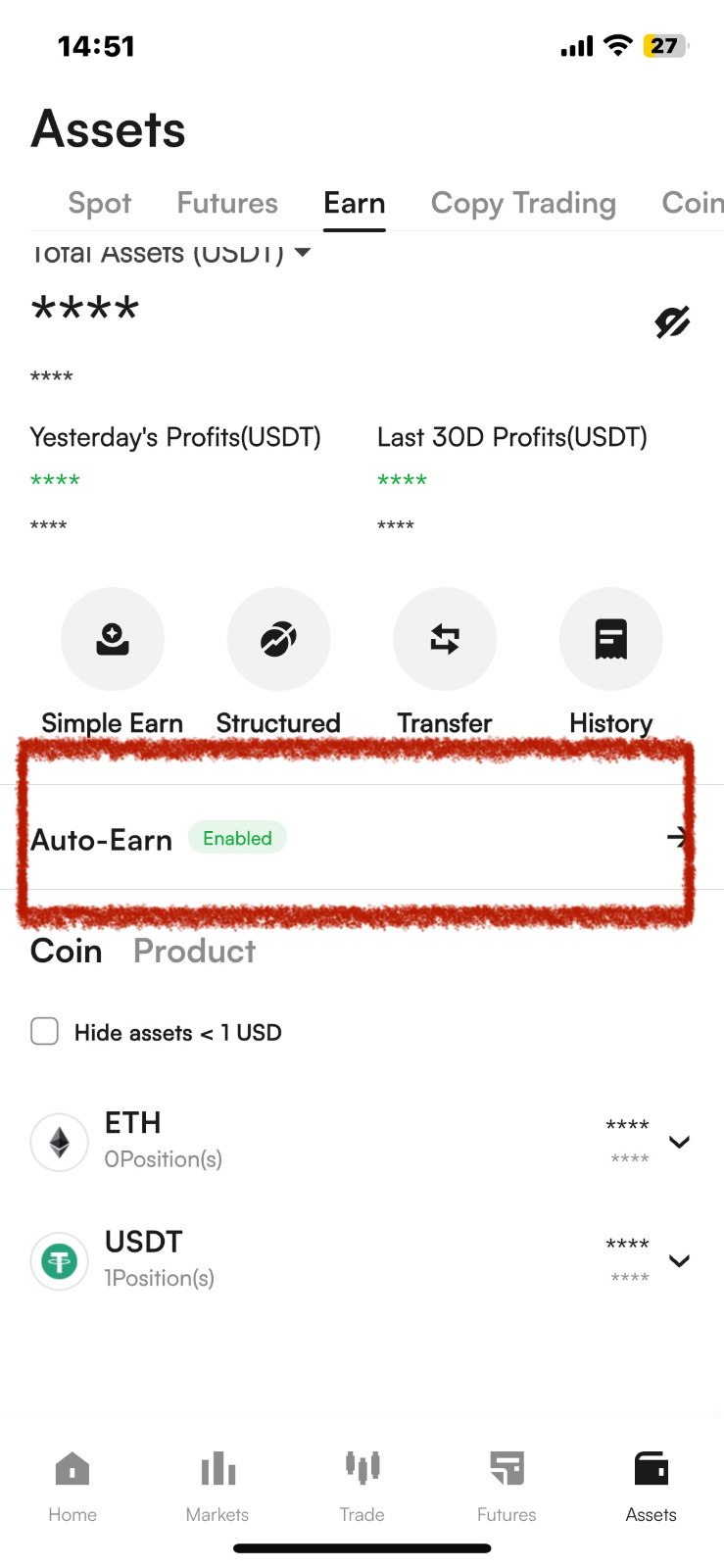
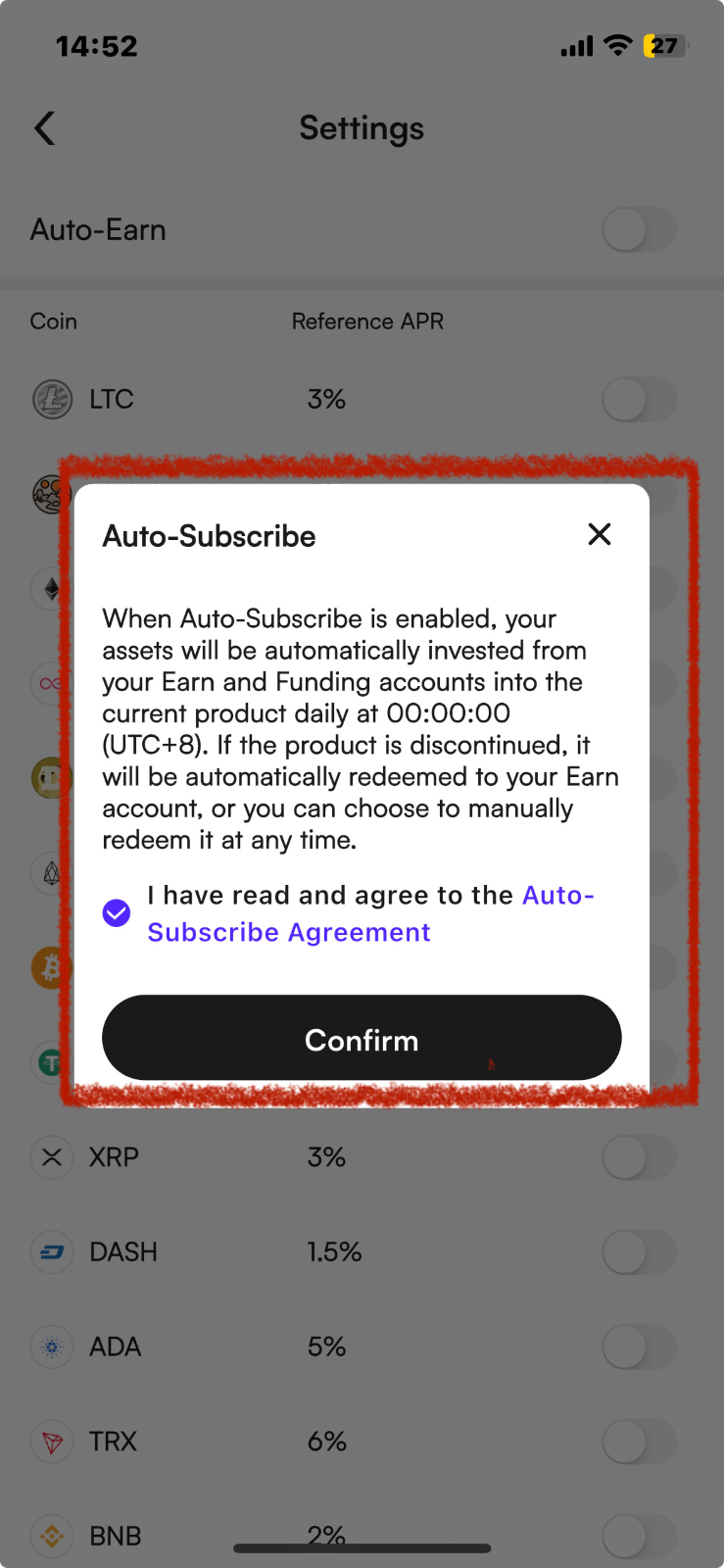
To turn on /off Auto-Earn of a single coin: [ Assets ] > [ Earn ] > [ Auto-Earn] > Click Enable/Disable the coin your specific want to Auto- earn]> Check "Auto-Subscribe Agreement". Confirm it then you can turn on/off Auto-Earn function of a single coin.
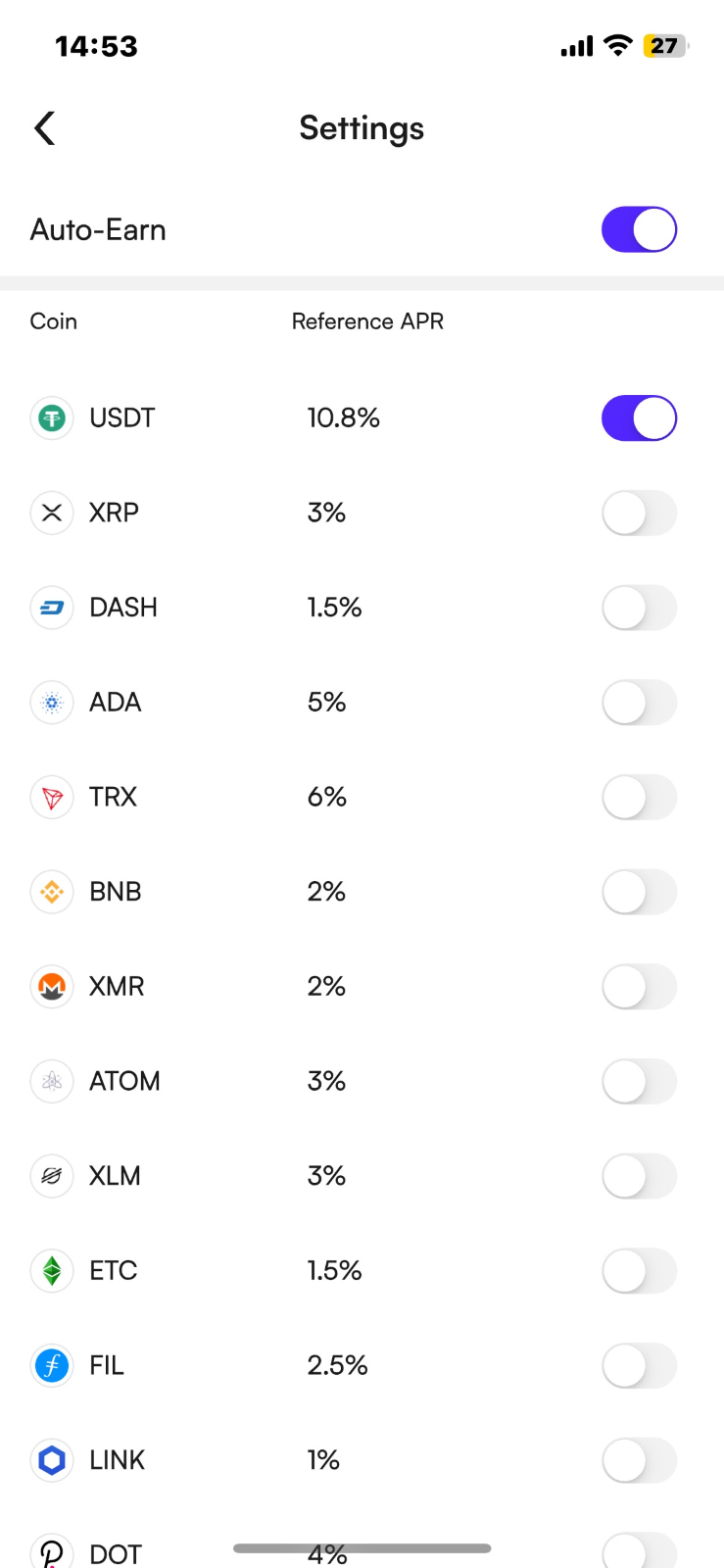
WEB
(1) Click this link to enter the CoinW Earn page: https://www.coinw.com/zh_CN/earn/crypto-savings
(2) "Flexible" and "Fixed" are regular products. You can choose the product type based on your needs and preferences.
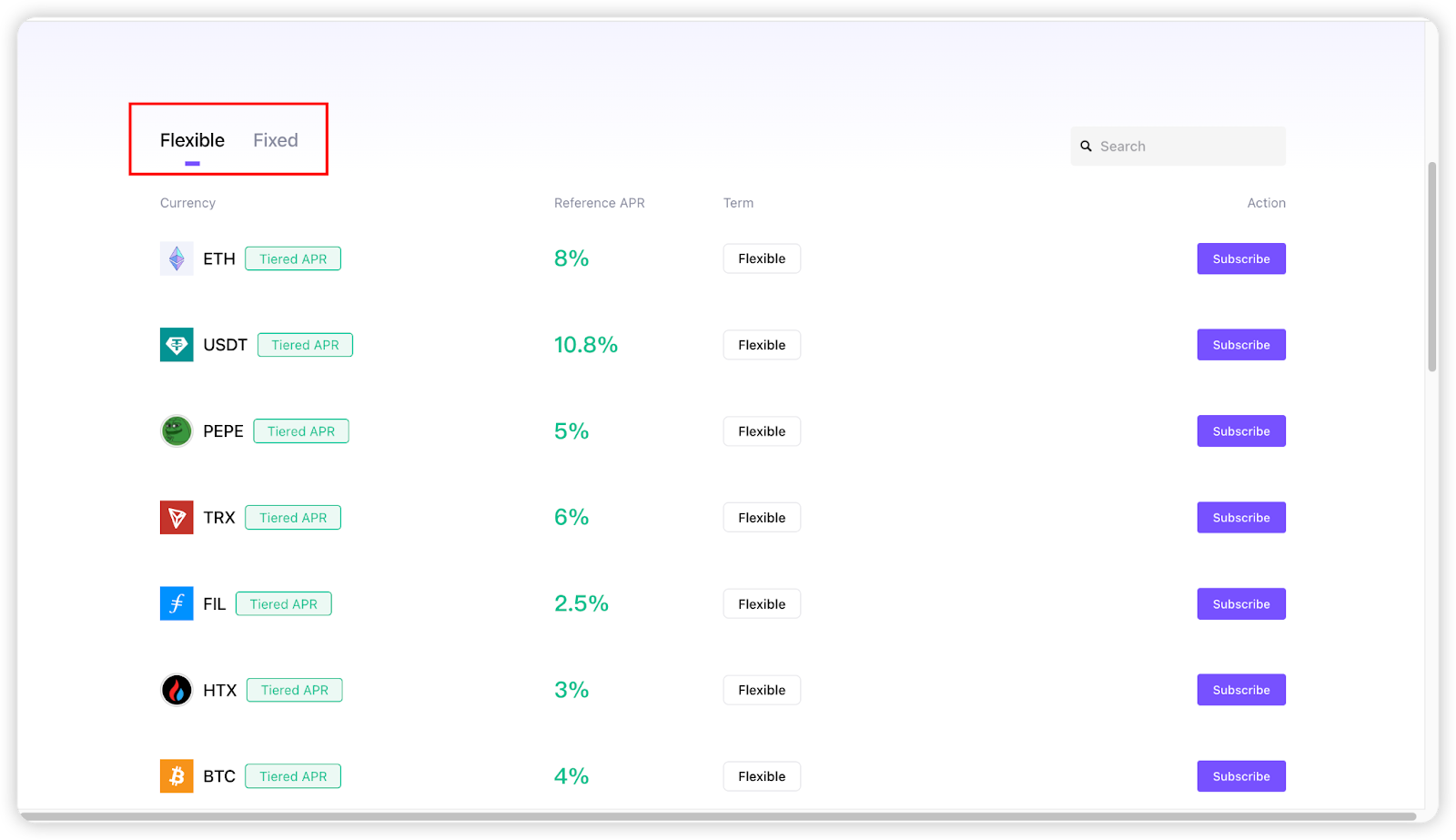
(3) Select the type of Earn product:
If you choose Fixed or Flexible Earn, select the annual percentage yield (APY) and the term, then enter the subscription amount.
If you want to use assets from multiple accounts to subscribe to an Earn product, click Funding Source and select the account types as needed.
If you have an interest boost coupon, you can check the box to apply it.
Finally, check the box "I have read and agree to the product information", then click Confirm.
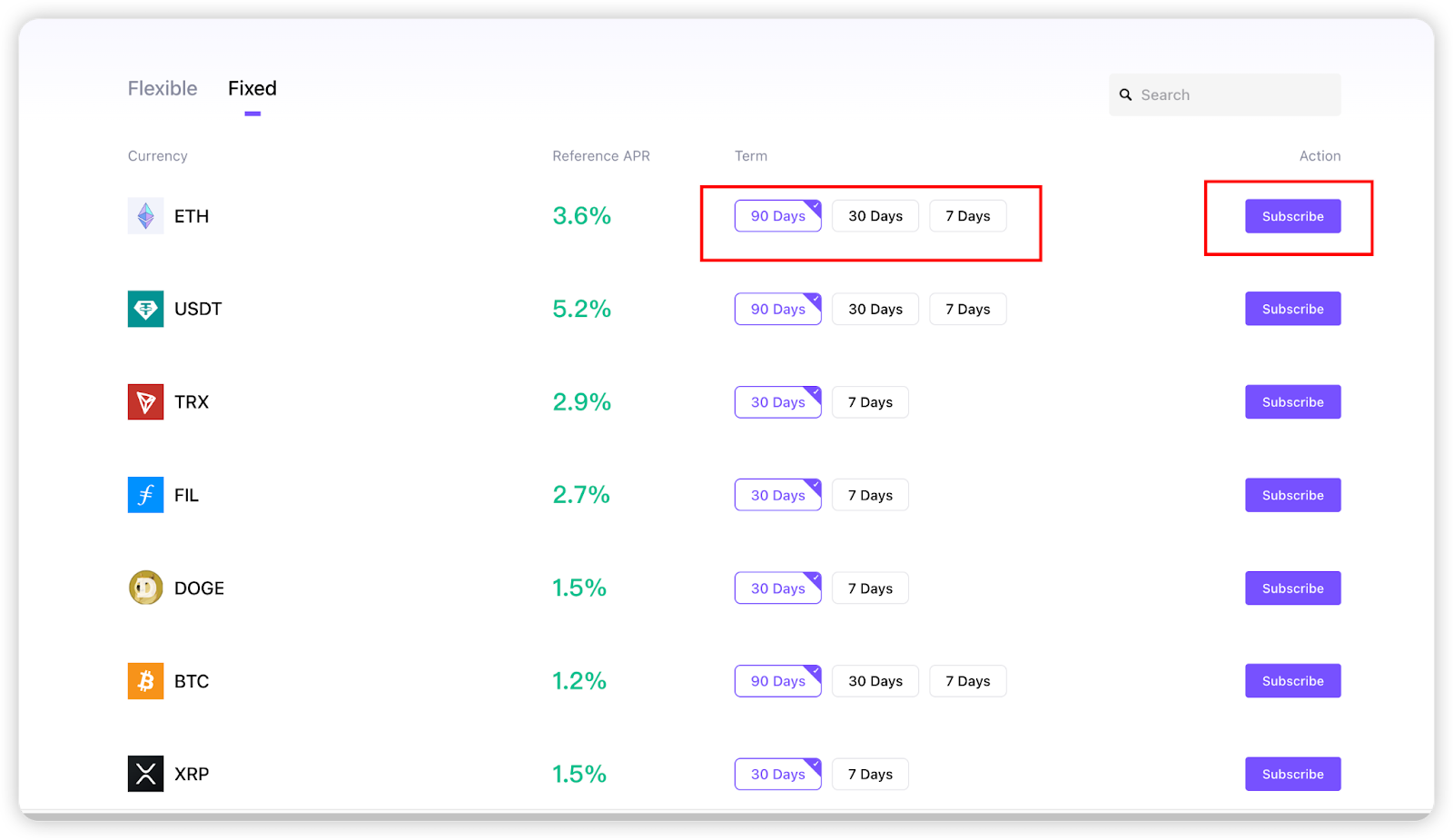
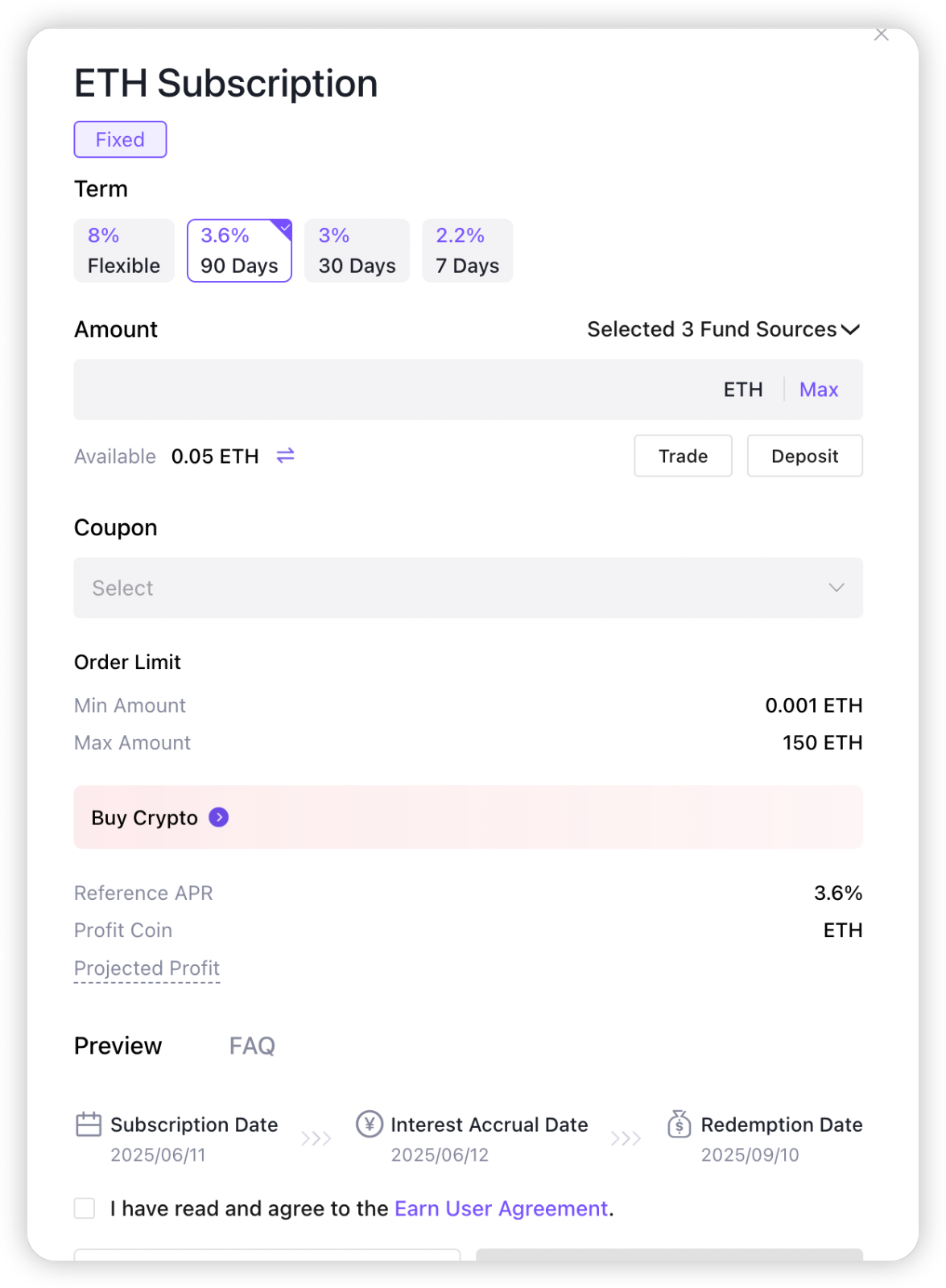
(4) After a successful subscription, you can view your assets by clicking Asset Details at the top of the page.
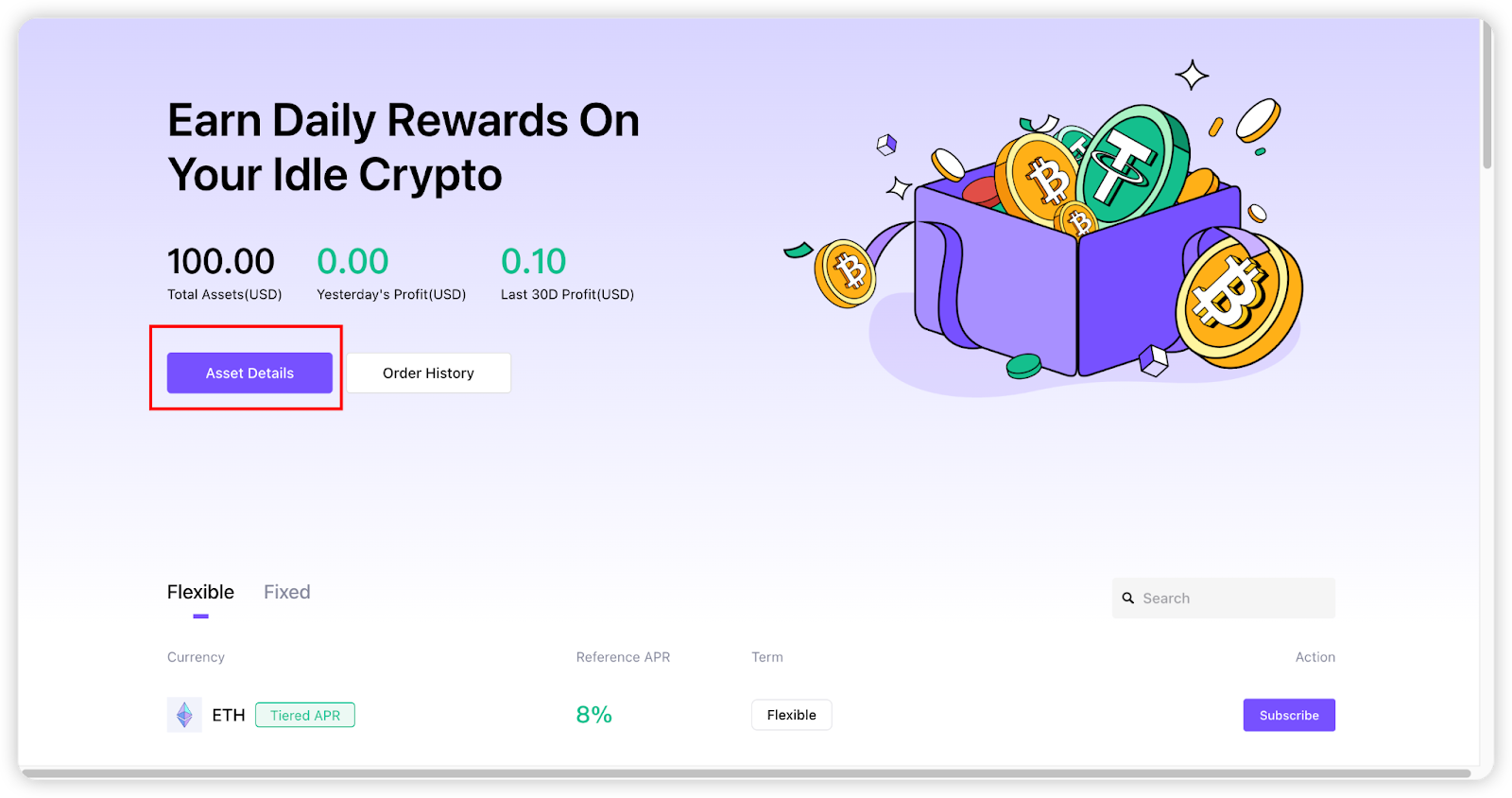
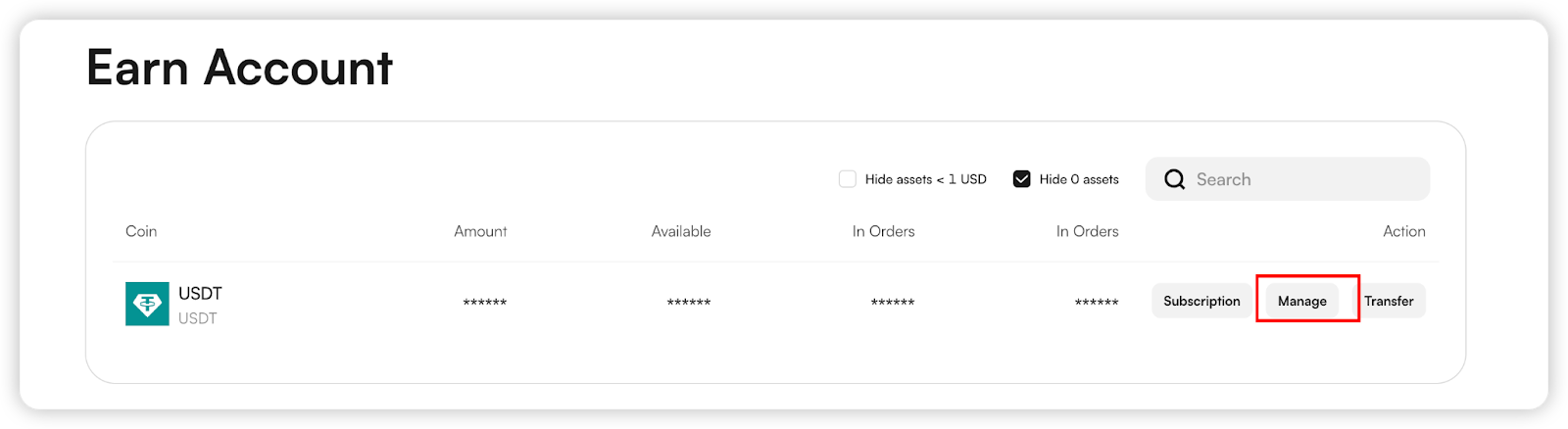
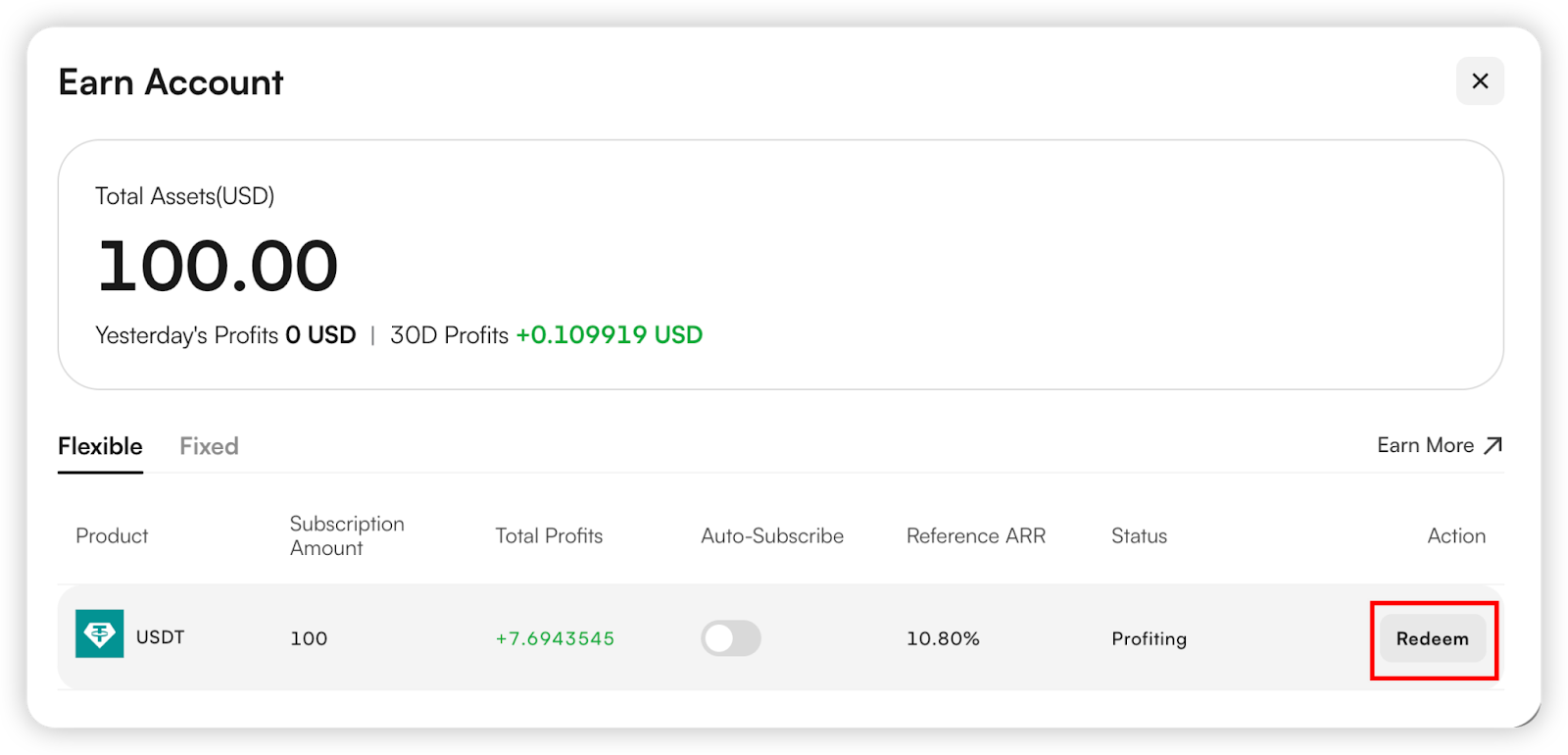
(5) For redemption, go to Asset Details, then click the Manage button at the bottom to redeem your Earn product.
Note: Flexible Earn products can be redeemed at any time, while Fixed Earn products can only be redeemed automatically at maturity.
APP
(1) Open the CoinW mobile app, log in to your personal account, click "CoinW Earn" on the homepage to enter the CoinW Earn page.
(2) The "Hot" Area in the middle of the page is the event products that are currently ongoing; "Flexible" and "Fixed" are regular products. You can choose the product type according to your needs and preferences.
(3) Select the product type.
If you choose "Fixed", select the APR and term, and fill in the subscription quantity.
If you want to choose to subscribe to products with Funds from multiple accounts, please click Fund Sources and check the account type as needed.
If you have an earn interest coupon, you can check to use your coupons.
Finally, check "I have read and agreed to the Earn User Agreement" and click [Confirm].
For a tutorial on earn interest coupons, please click: https://coinw.zendesk.com/hc/en-us/articles/41883583163289
(4) The same applies to Flexible products.
Select the currency you want to subscribe to and fill in the quantity.
If the product you choose is a tiered interest rate product, please confirm the tiered interest rate details.
Finally, check "I have read and agreed to the Earn User Agreement" and click [Confirm].
(5) After successfully participating, click the icon in the upper right corner to enter the "Bill" page, where you can view the participation details of the products you subscribed to.
You can check them at Assets> Earn>"History" page as well
(6) When redeeming a product, you can go to Assets > Earn and select the product you want to redeem based on the Coin or product.
(7) Click on the product you want to redeem to enter the redemption confirmation page.
Click “details”
Click Redeem, enter the quantity you want to redeem, and click Confirm to successfully redeem.
About the Auto-Earn function
To turn on/off Auto-Earn in batches : [ Assets ] > [ Earn ] > [ Auto-Earn] > Click [Enable/Disable ] > Check "Auto-Subscribe Agreement". Confirm it then you can turn on/off Auto-Earn function.
To turn on /off Auto-Earn of a single coin: [ Assets ] > [ Earn ] > [ Auto-Earn] > Click Enable/Disable the coin your specific want to Auto- earn]> Check "Auto-Subscribe Agreement". Confirm it then you can turn on/off Auto-Earn function of a single coin.
WEB
(1) Click this link to enter the CoinW Earn page: https://www.coinw.com/zh_CN/earn/crypto-savings
(2) "Flexible" and "Fixed" are regular products. You can choose the product type based on your needs and preferences.
(3) Select the type of Earn product:
If you choose Fixed or Flexible Earn, select the annual percentage yield (APY) and the term, then enter the subscription amount.
If you want to use assets from multiple accounts to subscribe to an Earn product, click Funding Source and select the account types as needed.
If you have an interest boost coupon, you can check the box to apply it.
Finally, check the box "I have read and agree to the product information", then click Confirm.
(4) After a successful subscription, you can view your assets by clicking Asset Details at the top of the page.
(5) For redemption, go to Asset Details, then click the Manage button at the bottom to redeem your Earn product.
Note: Flexible Earn products can be redeemed at any time, while Fixed Earn products can only be redeemed automatically at maturity.