FAQ
WEB
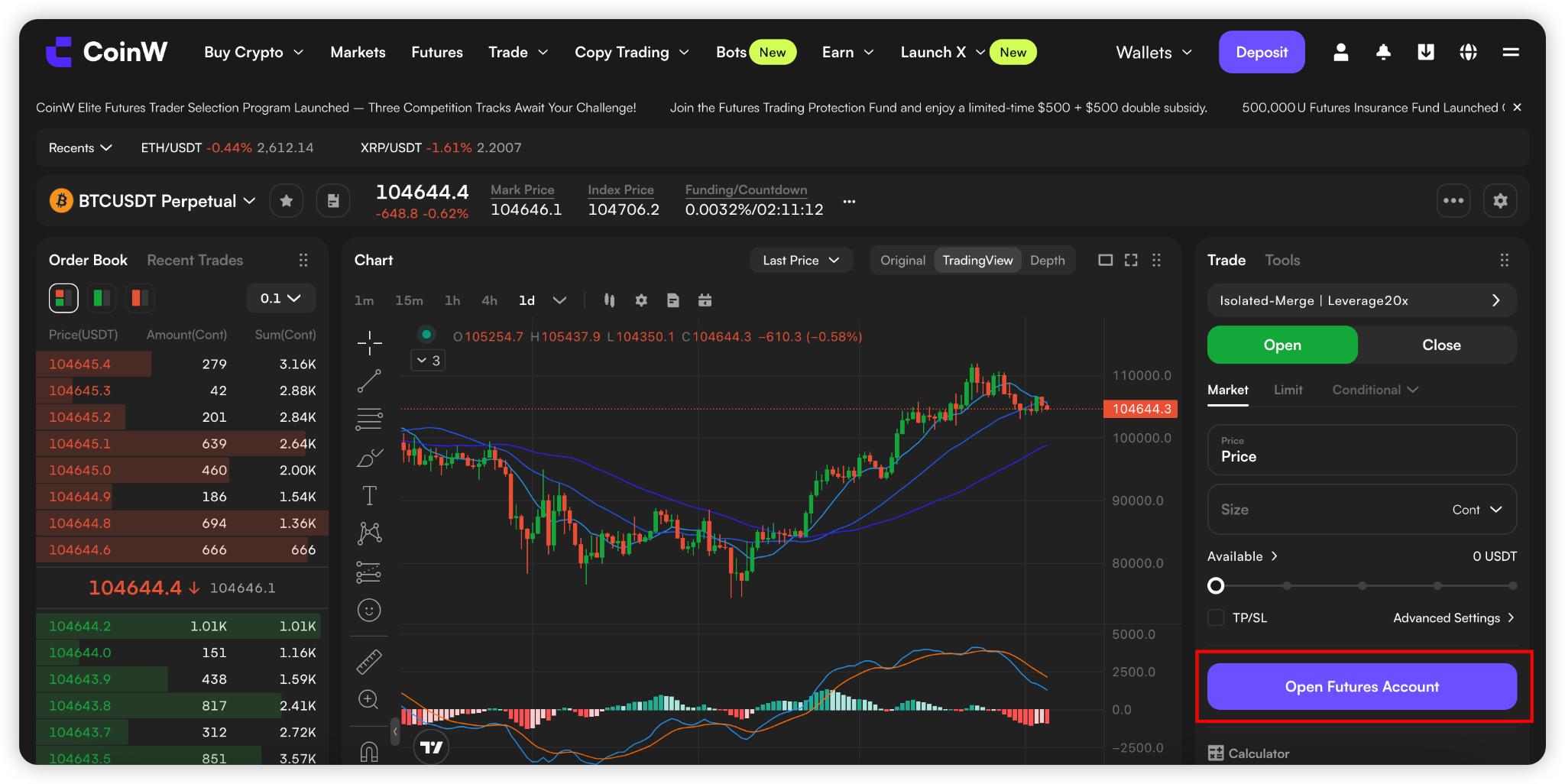
(1) Go to the Futures trading page: https://www.coinw.com/futures/usdt/btcusdt
(2) Click the "Open Futures Account" button on the right side
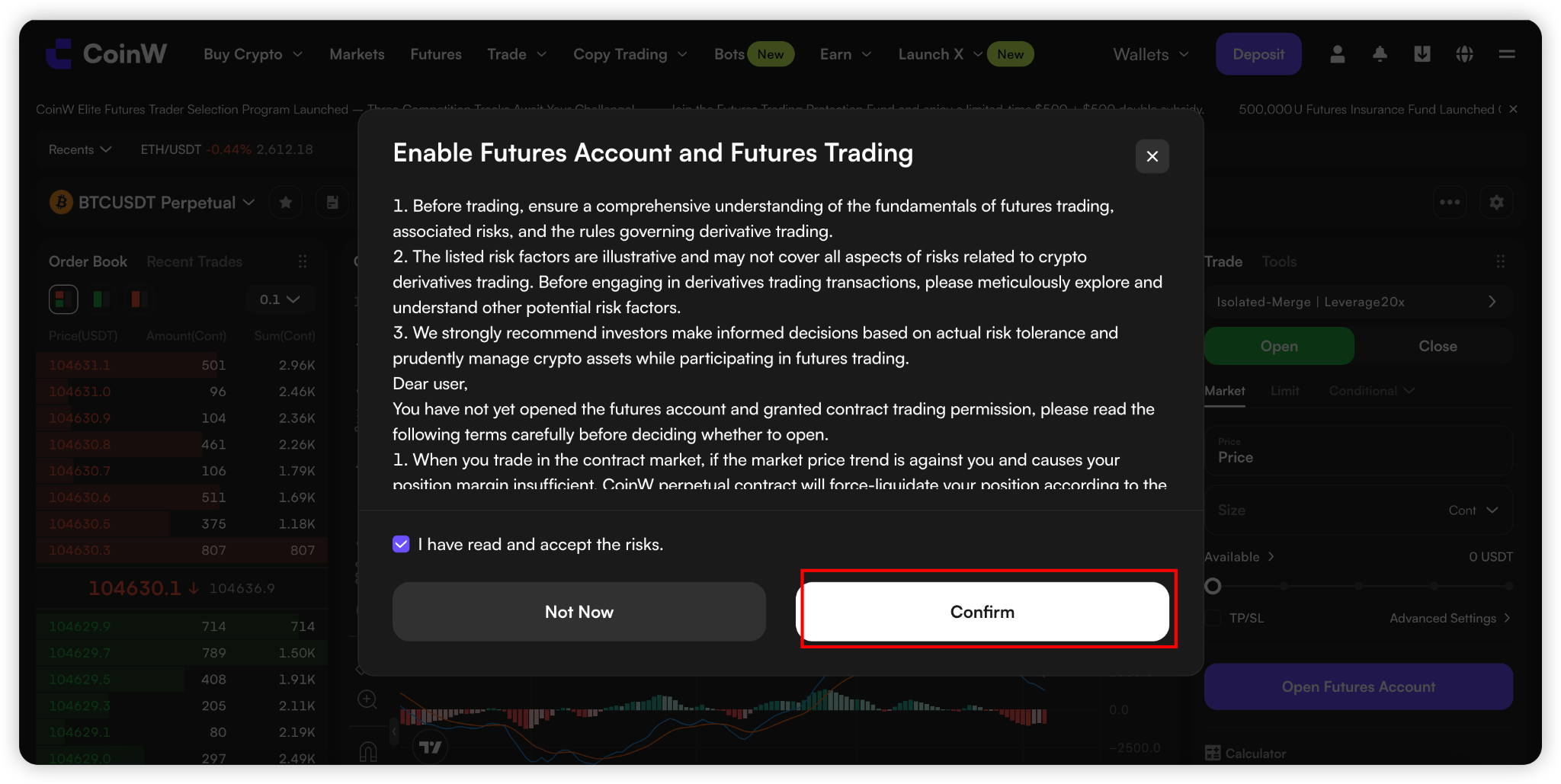
(3) Check “I have read and accept the risks”, then click "Confirm" to successfully open your account.
APP
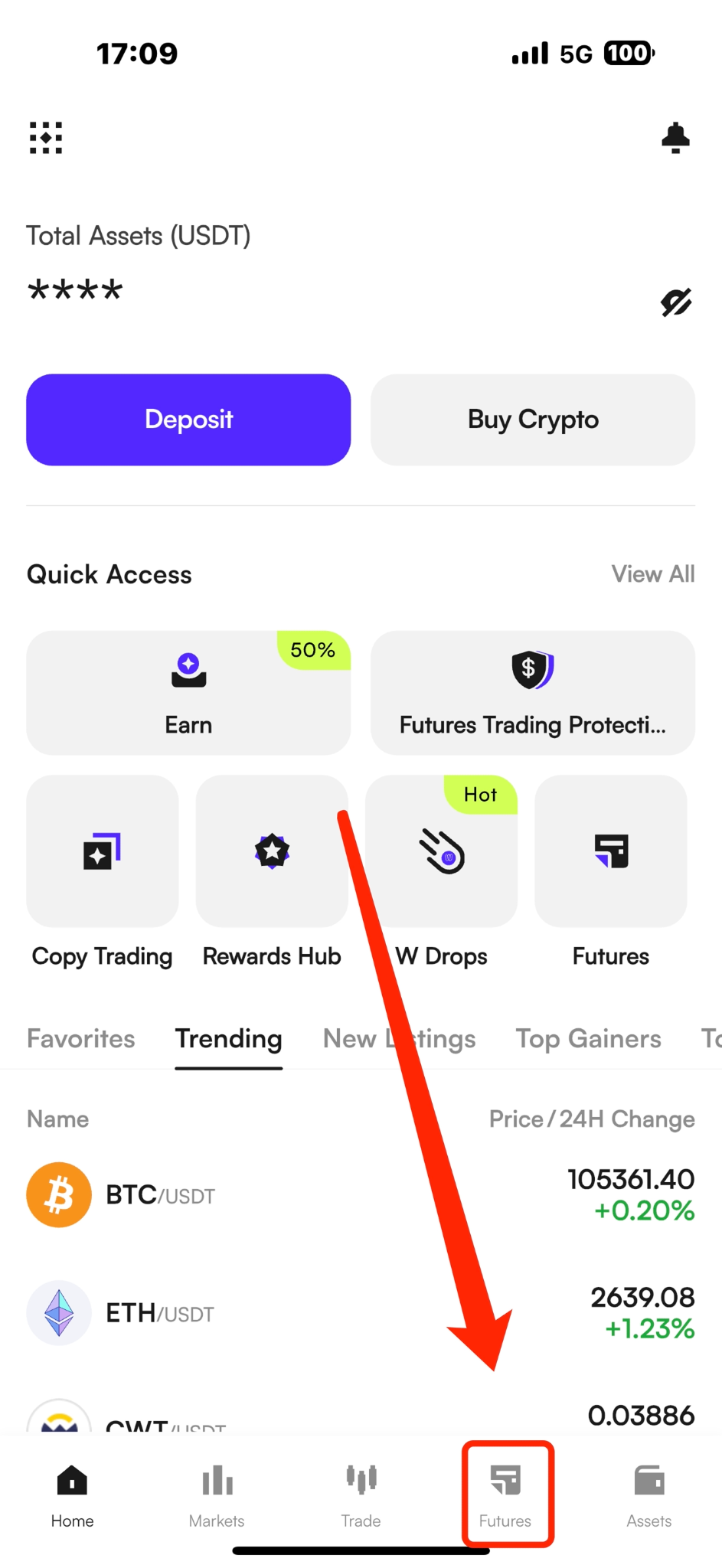
(1) Open the CoinW app homepage and tap the "Futures" button at the bottom.
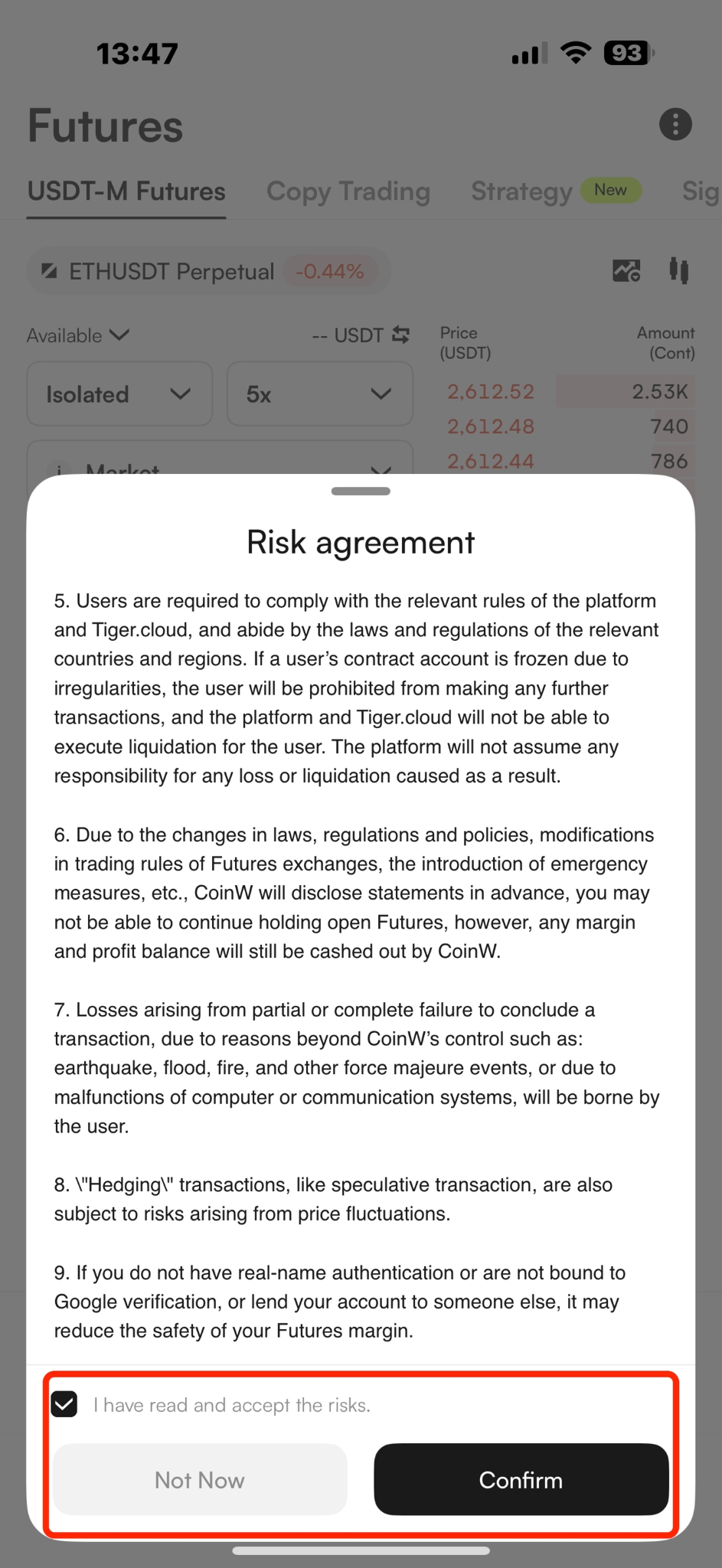
(2) After entering the Futures trading page, the system will automatically prompt you to open an account.
(3) Check “I have read and accept the risks”, then click "Confirm" to successfully open your account.
WEB
(1) Go to the Futures trading page: https://www.coinw.com/futures/usdt/btcusdt
(2) Click the "Open Futures Account" button on the right side
(3) Check “I have read and accept the risks”, then click "Confirm" to successfully open your account.
APP
(1) Open the CoinW app homepage and tap the "Futures" button at the bottom.
(2) After entering the Futures trading page, the system will automatically prompt you to open an account.
(3) Check “I have read and accept the risks”, then click "Confirm" to successfully open your account.